We've got new Dynamic Web Project from previous post. Now, we gotta start creating new jspx page.
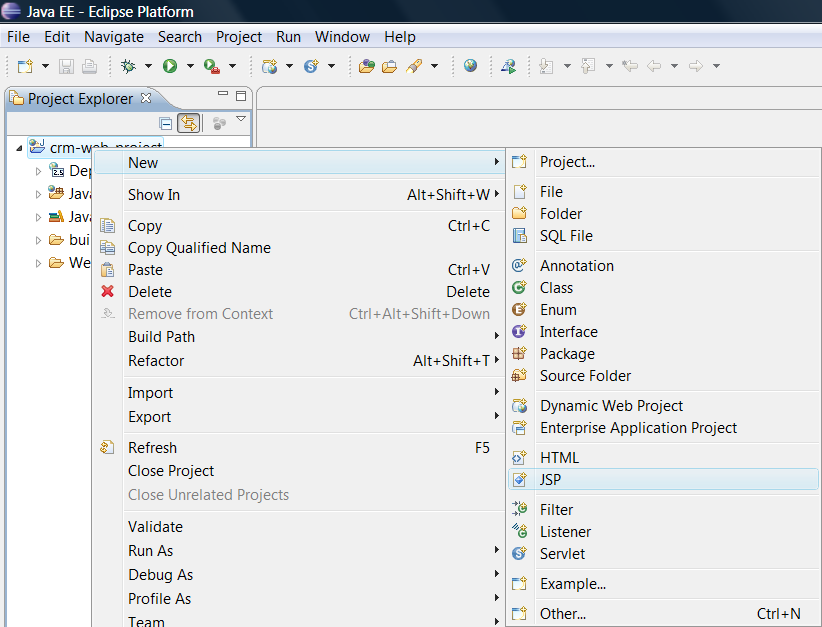
1. Right click on the project in Eclipse Project Explorer
2. Select New -> JSP from pop-up menu as shown in figure below:
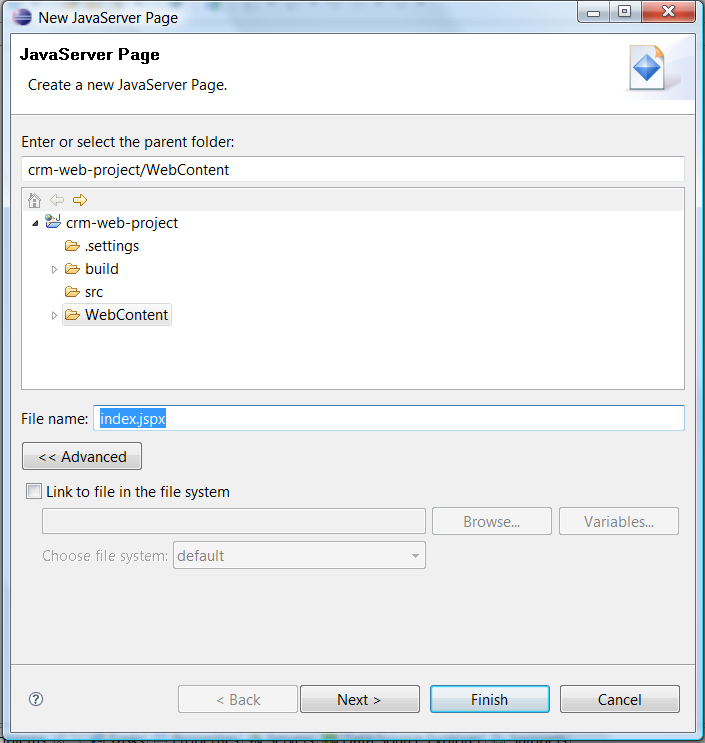
3. Enter index.jspx in File name as show in figure below:
4. Click Next to continue
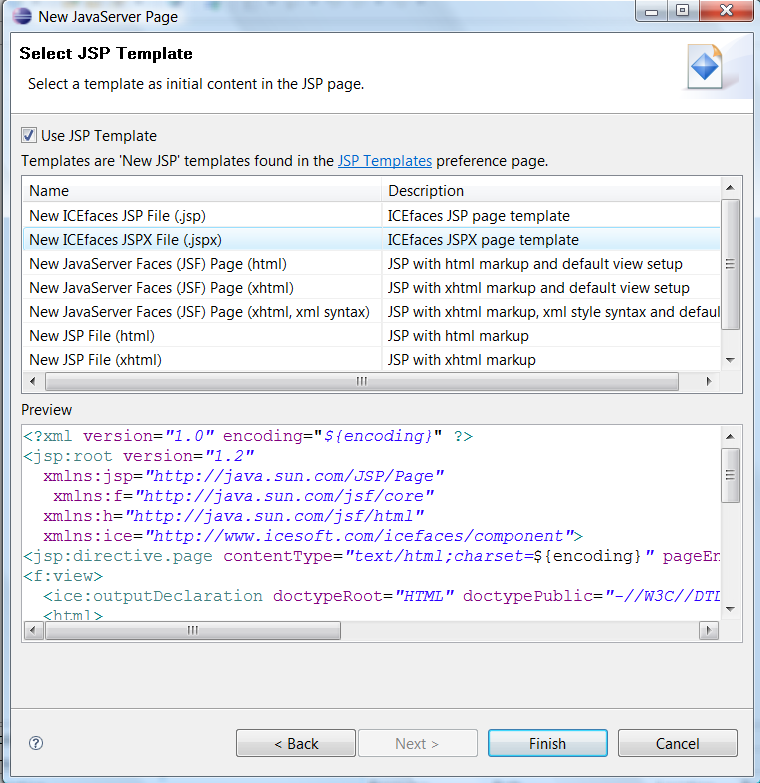
5. Select New ICEfaces JSPX File from JSP Template list
6. Click Finish to create jspx file with predefined tags from template
1. Right click on the project in Eclipse Project Explorer
2. Select New -> JSP from pop-up menu as shown in figure below:
3. Enter index.jspx in File name as show in figure below:
4. Click Next to continue
5. Select New ICEfaces JSPX File from JSP Template list
6. Click Finish to create jspx file with predefined tags from template


